
The Burning Bridges trend · One photo · 5 second clip
Burning Bridges AI Video
One photo of you, a friend or your pet, and AI drops you into the chandelier party scene everyone is copying. No filming, no prompt, no editing app - the clip is ready in a few minutes.
Make my videoYour picture
A single picture works: just you, or the pair of you.
Tip: Drag photos into the boxes, or press Ctrl+V (⌘V) to paste.
Effect
Take
Effects only run on Seedance, so Wan 3.0 is off. Current model: Seedance 2.0 Mini.
Price: 5 credits. Done in roughly 2 to 5 min; if it fails, the credits come back. See prices
The short answer
The Burning Bridges AI trend is the chandelier party scene everyone is copying: a wood-panelled room under crystal chandeliers, silver cups in the air, and the hand-over-the-eyes move. Add one clear photo, keep the party effect selected and press Apply effect. In about 2 to 5 minutes you get a 5 second vertical clip for 5 credits, no watermark, and a failed render is refunded. The song is not in the file, so add the official sound when you post.
What's new on this page
Published November 4, 2026. Last updated November 4, 2026.
- Page published. The studio opens on the Effects tab with the party effect selected at 720p, 5 seconds and 9:16.
The trend
What Is the Burning Bridges AI Trend?
It remakes the party scene from Drake's 2026 single "Burning Bridges" so anyone can join with one photo: a wood-panelled room under crystal chandeliers, a crowd raising silver cups, and one guest who steps out and covers their eyes with a hand to scan the room.
Why one photo is enough
There is no prompt to write, no reference clip to find and no move to learn. The room, the crowd, the camera path and the hand-over-eyes ending are already inside the effect, so the only thing you bring is a face the model can follow.
Not a filter, not a face swap
Nothing is pasted onto frames from the original video. A video model builds a brand-new party scene around your photo, so your face, hair and outfit all carry over. That is why it works for a pet or a cartoon character just as well as a person.
Want a different crowd instead? See all 34 photo effects
How it works
How to Make a Burning Bridges AI Video
Three steps, about 2 to 5 minutes. The price shows on the button before you start.
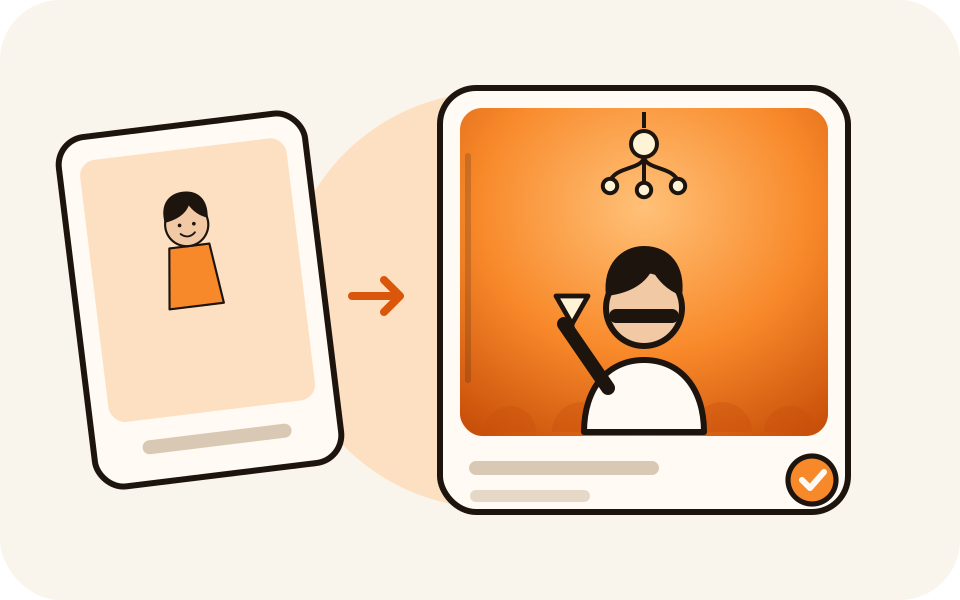 01
Add one photo
A clear, front-facing photo with even light. One person per photo, JPG, PNG or WEBP up to 20 MB. A friend? Drop their picture into the optional Partner slot and you both walk into the room.
 02
Keep Burning Bridges Party
It is already selected at 720p, 5 seconds and 9:16. Pick 480p for the cheapest clip or a longer length, and the price updates as you choose.
 03
Make it and post it
Press Apply effect and wait a few minutes. Download the watermark-free MP4, then add the official sound in TikTok or Reels when you post.
What you get
What Burning Bridges AI Does for You
You bring a face. The room, the crowd, the camera and the routine are already built in.
 01
No filming, no dancing, no app
Nothing to shoot and no move to learn. One photo in, a finished clip out.
 02
Your face, your own clothes
The model keeps your face and outfit from the photo instead of dressing you in a costume.
 03
The price before you press
5 credits for the 5 second 720p clip, shown on the button. Every length and quality shows its own price.
 04
Yours to keep, refunded if it fails
No watermark, credit packs never expire, and a failed render returns its credits automatically.
Other versions
Three Ways People Use It
One effect, one face in a crowd - so the same photo can go three directions.
Your pet
A dog or cat as the guest of honour under the chandelier is the version that travels furthest. A clear, front-facing pet face is all it needs.
The two of you
Add a partner photo and you walk into the party together. For a bigger group, make one clip per person and post a carousel.
A character or avatar
An anime portrait or a cartoon version of yourself gets the same chandelier, the same toast and the same hand-over-eyes ending.
Why make it here
Built for This Scene, Priced on the Button
Elsewhere the Burning Bridges effect is one template buried in a library of two hundred.
No app, no template
It runs in the browser. The chandelier, the crowd and the camera are already built in.
Your face, your clothes
It keeps your face and outfit from the photo instead of putting a costume on you.
Pay per clip
5 credits for a 5 second 720p clip, packs from $6.99, no watermark.
Refunded if it fails
A render that fails returns its credits automatically, so a bad take costs nothing.
Questions
Burning Bridges AI: Quick Answers
The trend, the photo, the price and the sound.
What is the Burning Bridges AI trend?
It is a photo-to-video trend built on the party scene from Drake's 2026 single "Burning Bridges": a room under crystal chandeliers, a crowd raising silver cups, and one guest who covers their eyes with one hand to scan the room. People use it to put themselves, a friend or a pet in the middle of that room with a single photo.
Is this the real music video?
No. The effect generates a new party scene around your photo, in the same spirit. It never reuses footage of the original video and never puts the artist's face in your clip. This site is not affiliated with Drake or his label.
How do I make one?
Add one clear photo, keep Burning Bridges Party selected and press Apply effect. A 5 second 720p vertical clip renders in about 2 to 5 minutes; download the MP4 and add the official sound in TikTok or Instagram when you post.
What photo works best?
Face forward, both eyes visible, even light, one person per photo, chest-up or waist-up. Whatever you wear in the photo is what you wear in the clip. Skip sunglasses, masks, heavy filters and side profiles.
Can I use my pet or a cartoon character?
Yes, and pets are one of the most shared versions. A clear, front-facing face gives the model something to follow; a full-body shot from an angle usually does not.
Can two people do it together?
Yes. Add a photo of each person, or one photo with both. There is a single Partner slot, so for a bigger group make one clip per person and post them together.
Does the video include the song?
No. The clip carries generated ambience instead, kept quiet on purpose. Add the official sound from the TikTok or Instagram library when you upload and it sits right on top.
How much does it cost?
5 credits for the default 5 second 720p clip, 3 credits at 480p. Longer lengths and higher quality show their own price on the button before you create. Credit packs start at $6.99, never expire, and a failed render is refunded.
Is there a watermark?
No. The MP4 downloads clean at every quality level, including the cheapest one.
Make Your Burning Bridges AI Video
One photo in, a Burning Bridges AI party clip out in a few minutes. The price is shown before you create.